

Plug & Play Technology
Your entire AML portal syncs to match your business.
and AML program documents
What is it?
Every sector pack includes Plug & Play Technology. It asks you a series of plain-language questions about your business. When you are ready, you choose to sync your portal and it automatically matches your answers.
Instead of manually setting up screening rules, risk scoring, approval gates and reporting, the technology handles it for you and syncs in with your AML Program. Smart defaults are pre-set for your sector so you are not starting from scratch.
How it works
From sign-up to a fully configured portal in four steps.
Register for your sector pack
Access your sector-specific compliance pack. It includes Plug & Play Technology alongside all your AML/CTF documentation.
Open Plug & Play
Log in to the AML Portal and launch Plug & Play. It is pre-loaded with your sector's requirements so you are not starting from scratch.
Fill in your business details
Work through each tab: your entity details, designated services, risk thresholds, personnel, screening preferences and more. Each field is explained as you go.
Send to your lawyer, then Go Live
Download the Brief to Solicitor and your Plug & Play Summary. Email them to your lawyer (or invite them to review in the portal). Once they approve, click Go Live and your portal syncs instantly.
What Plug & Play covers
Plug & Play walks you through each of these areas. Smart defaults are pre-set based on your sector.
Entity Details
Your business name, ABN, structure, sector and contact details.
People and Access
AML Officer, Compliance Officer, personnel roles and portal seat allocation.
Guardrail Policy
Which designated services your business provides and how the portal should handle each one.
Program Settings
CDD thresholds, approval gates, simplified CDD preferences and screening intervals.
Risk Scoring
Customer risk factors, weighting and automatic risk classification rules.
Screening
Sanctions lists, PEP checks, adverse media monitoring and re-screening frequency.
Training
Staff training requirements, module assignments and completion tracking.
Compliance Digest
Automated daily or weekly compliance summary emails to your AML Officer.
Reporting
Reporting group setup, board reporting frequency and annual compliance review settings.
See it in action
Screenshots from inside Plug & Play.
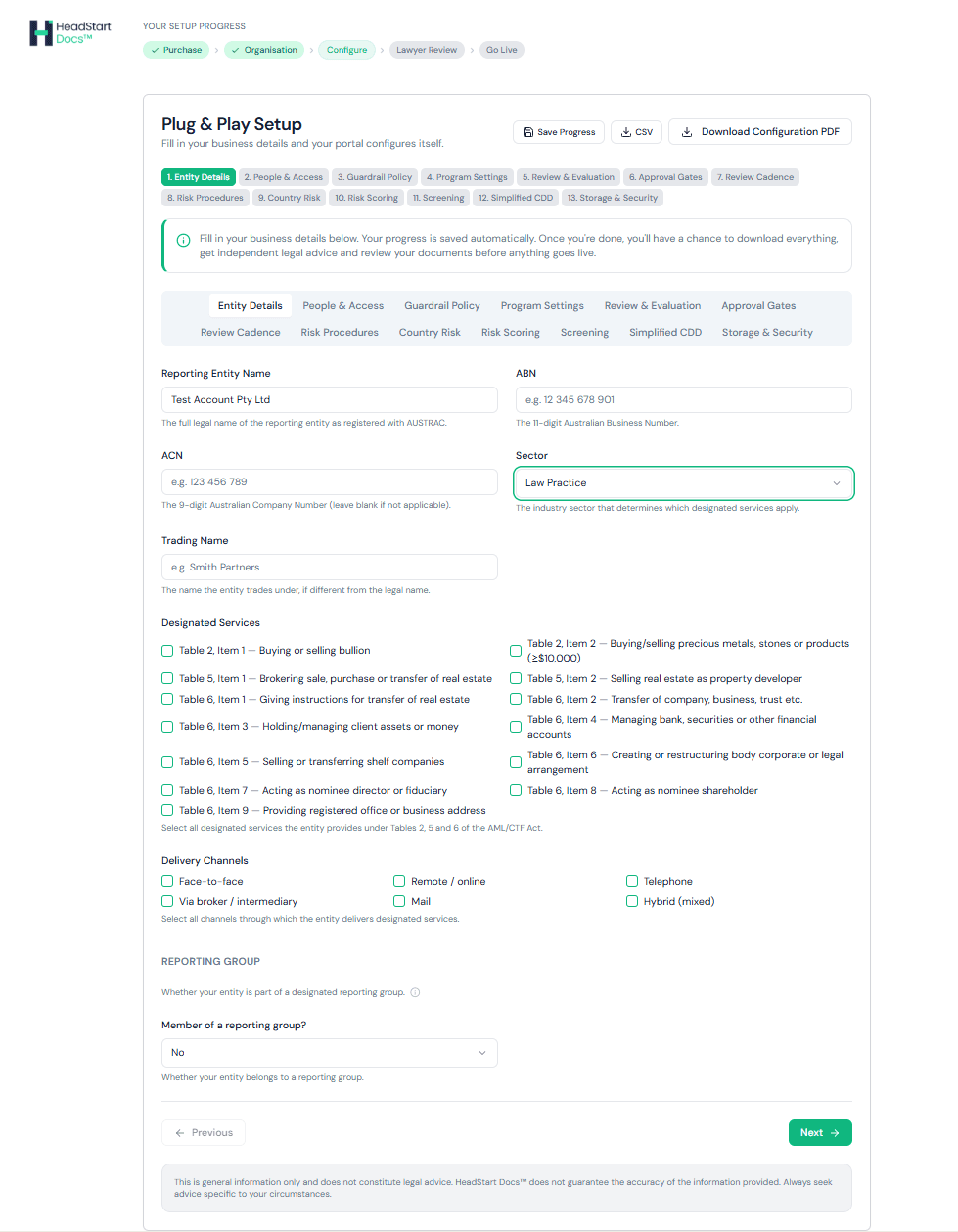
Entity Details
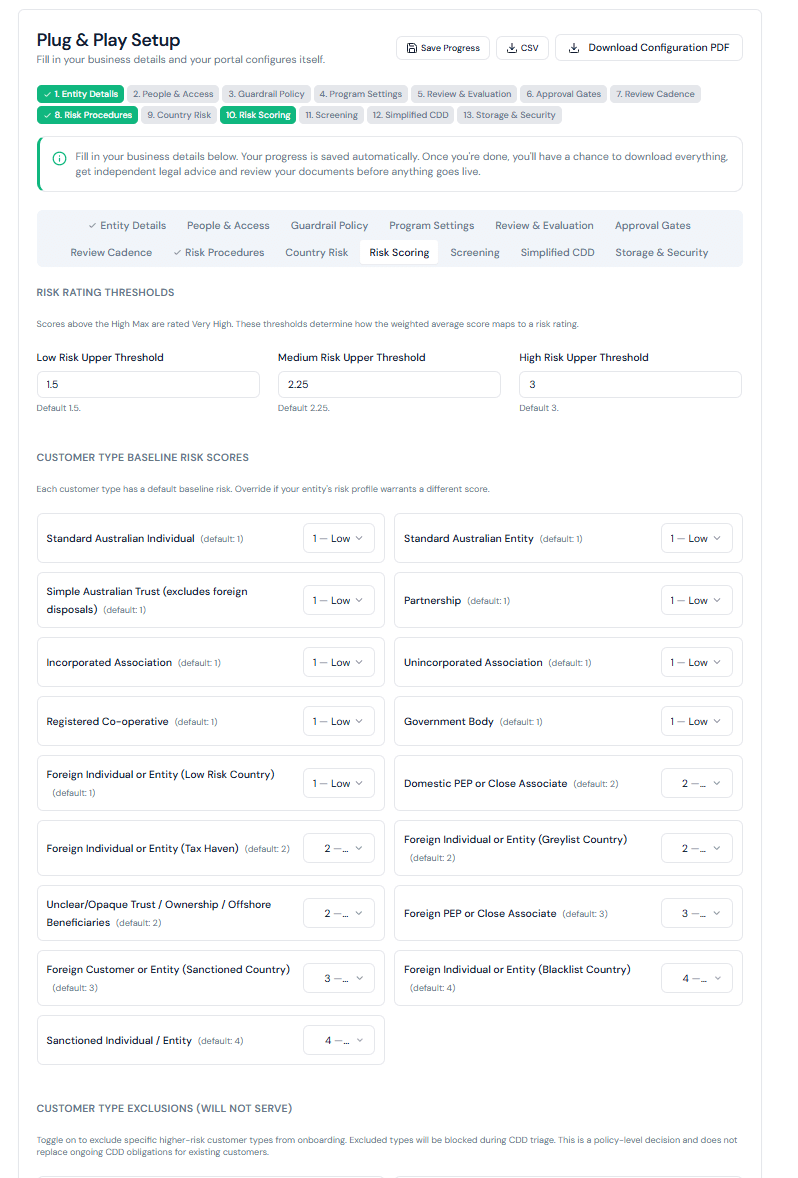
Risk Scoring
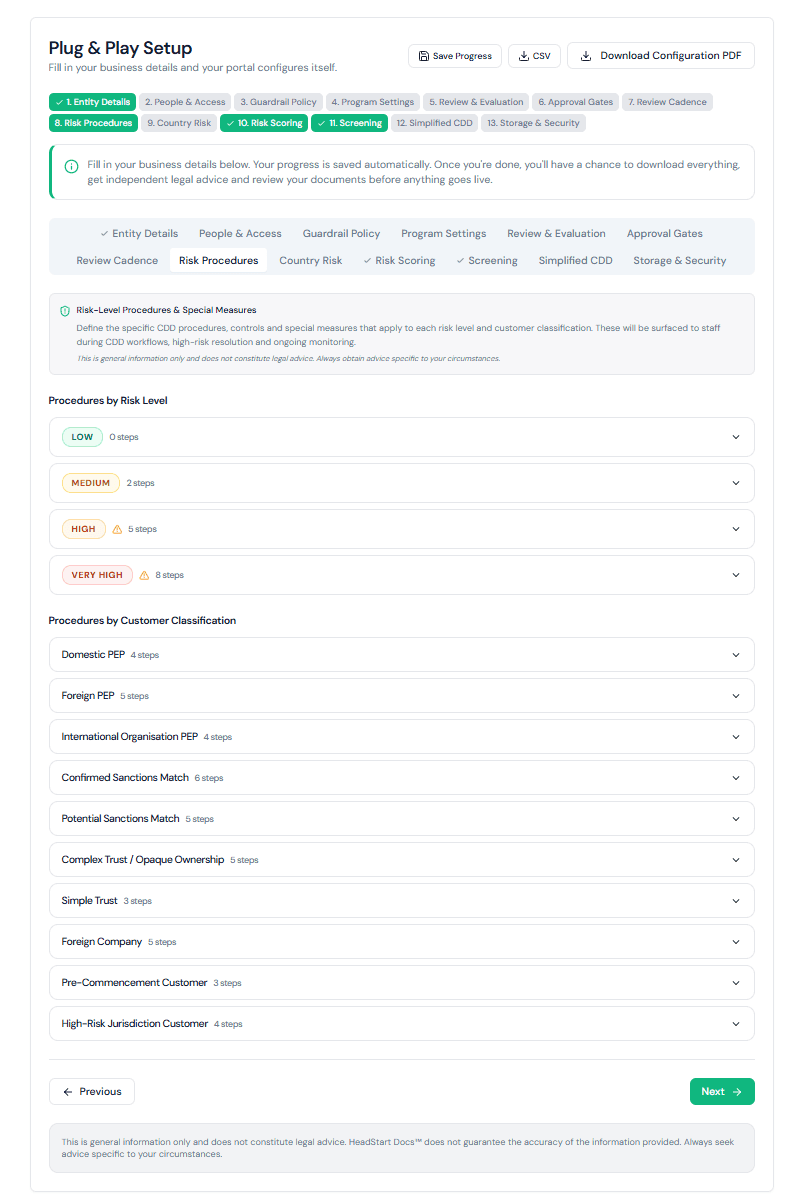
Risk Procedures
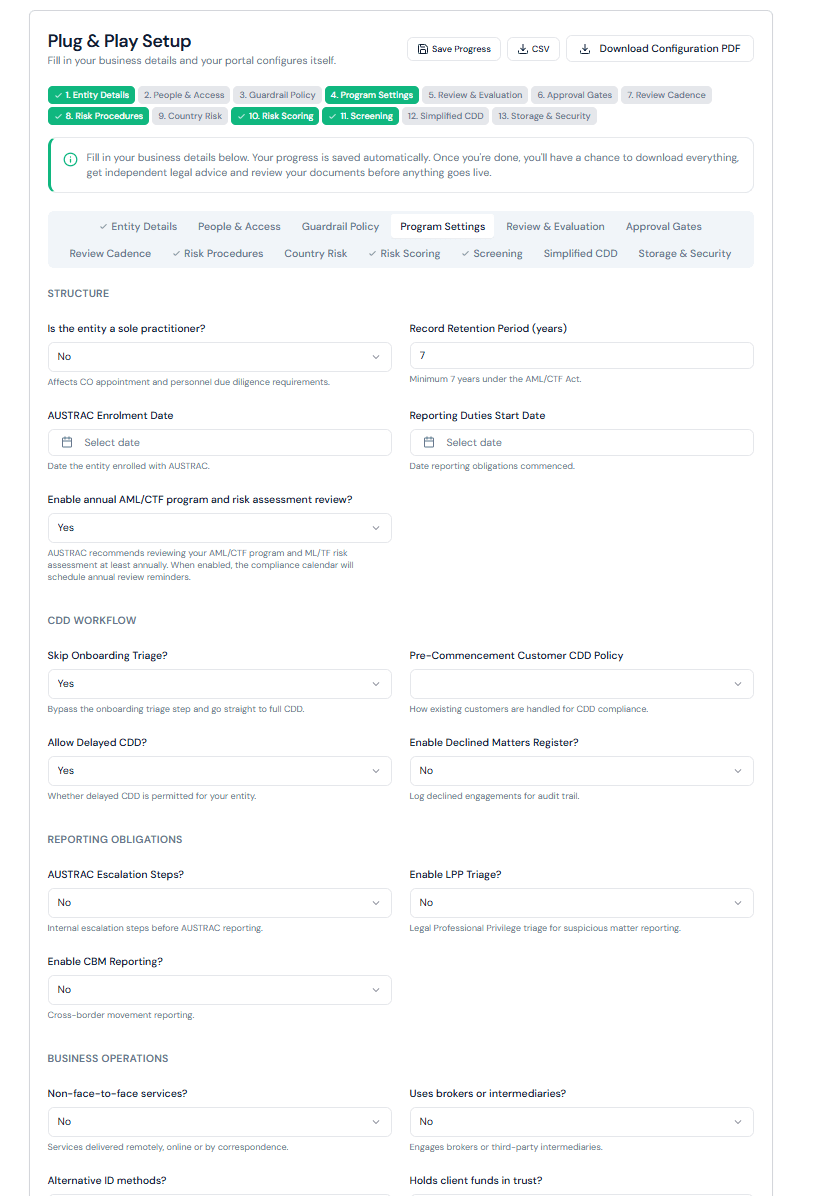
Program Settings
Why Plug & Play?
Plug & Play vs manual setup. Documents and portal sync as one
Smart defaults pre-set for your sector. Conservative settings your lawyer can adjust
Brief to Solicitor included. Your lawyer gets a clear summary of what to review
Plain language prompts that explain each compliance decision as you go
Sole practitioner shortcuts that auto-answer governance questions
Change any setting at any time. Nothing is locked after Go Live
Documents are licensed to you permanently. Download as PDFs and work offline if you prefer
Common questions
Ready to get started?
Register for a sector pack to unlock Plug & Play Technology.